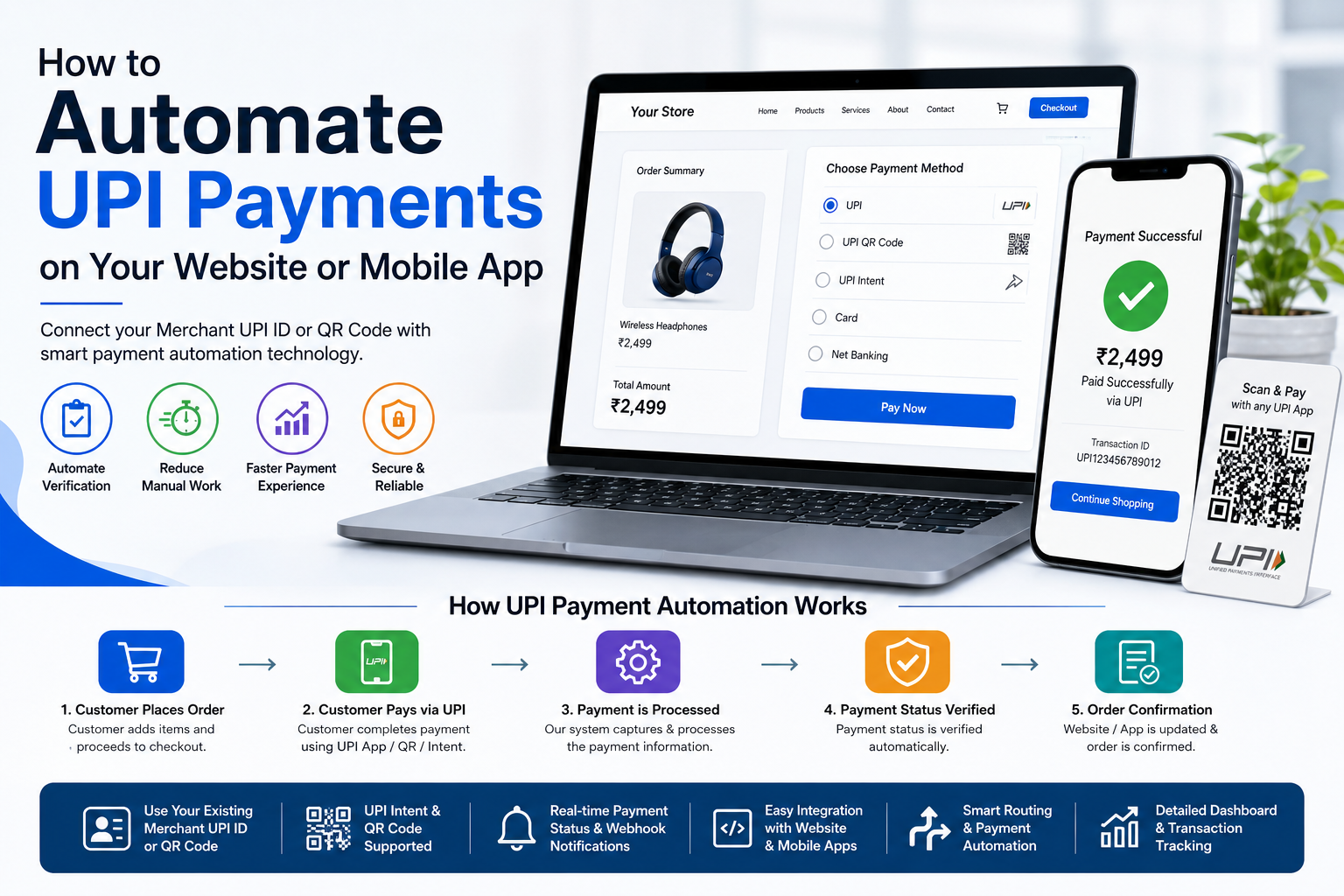
How to Automate UPI Payments on Your Website or Mobile App
UPI has become one of the most convenient ways for customers to make digital payments in India. For online businesses, however, simply accepting a UPI payment is not always the complete solution.
Businesses also need a way to connect their existing Merchant UPI ID or QR Code with their website or mobile app, track payments, reduce manual verification, and provide customers with a smoother payment experience.
This is where UPI payment automation can make a big difference.
Instead of manually checking payment screenshots, transaction details, or bank notifications for every order, businesses can use smart technology to automate important parts of the payment workflow.
In this guide, we'll explain how UPI payment automation works, how you can connect UPI with your website or mobile app, what features you should look for, and how a smart merchant infrastructure can simplify online payment management.
What Is UPI Payment Automation?
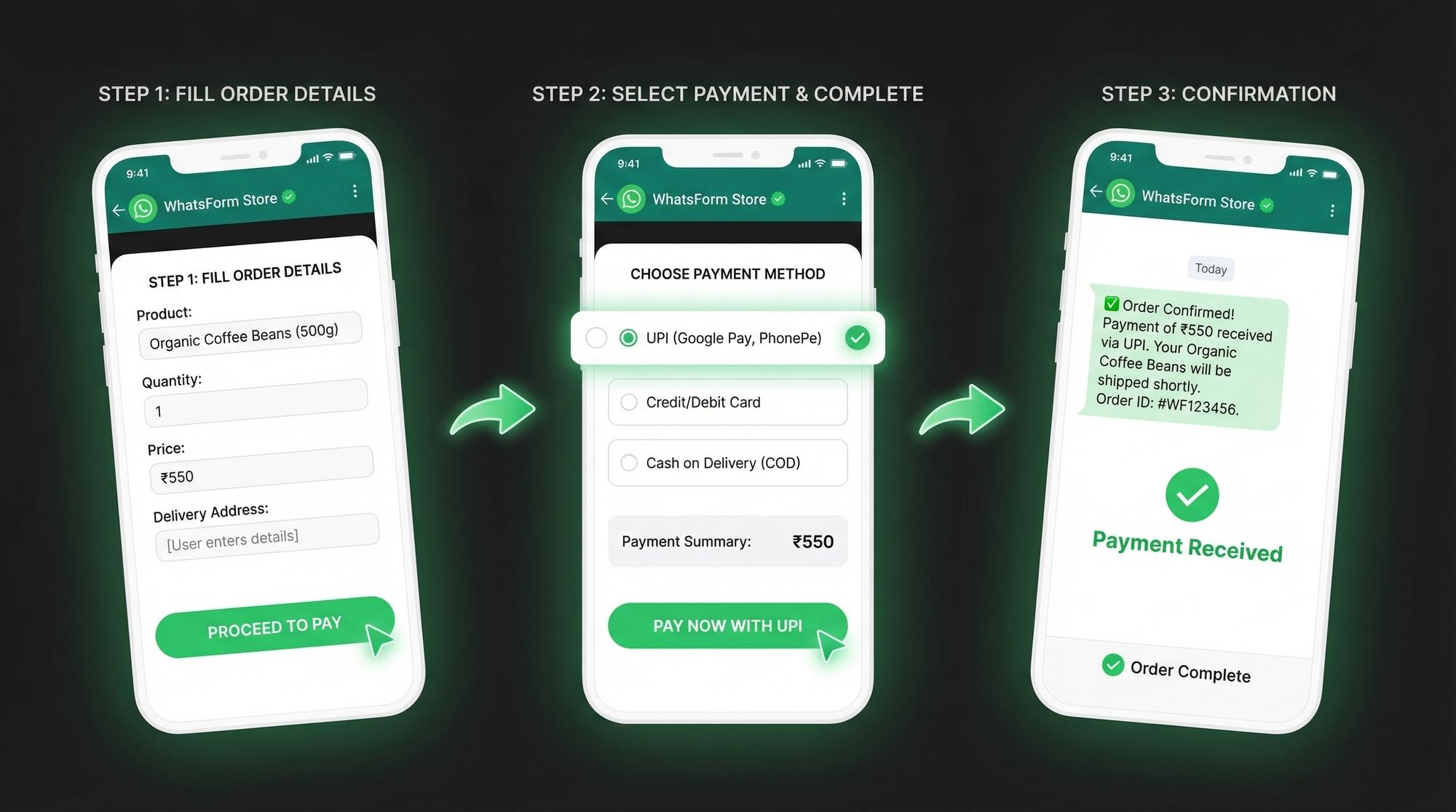
UPI payment automation is the process of using technology to make UPI payment collection and verification easier for an online business.
A typical payment flow looks like this:
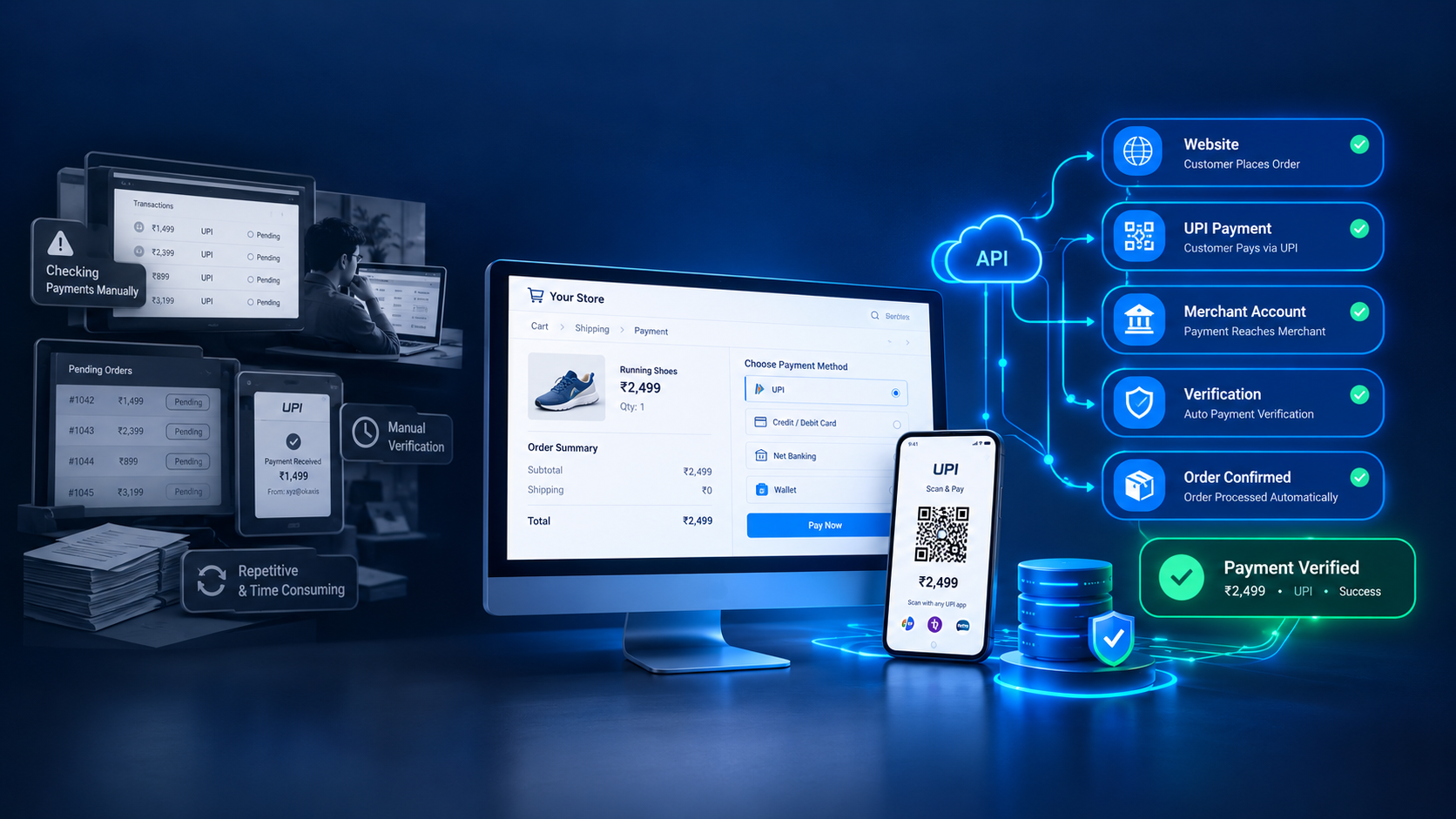
Customer → Website/App → UPI Payment → Payment Verification → Order Confirmation
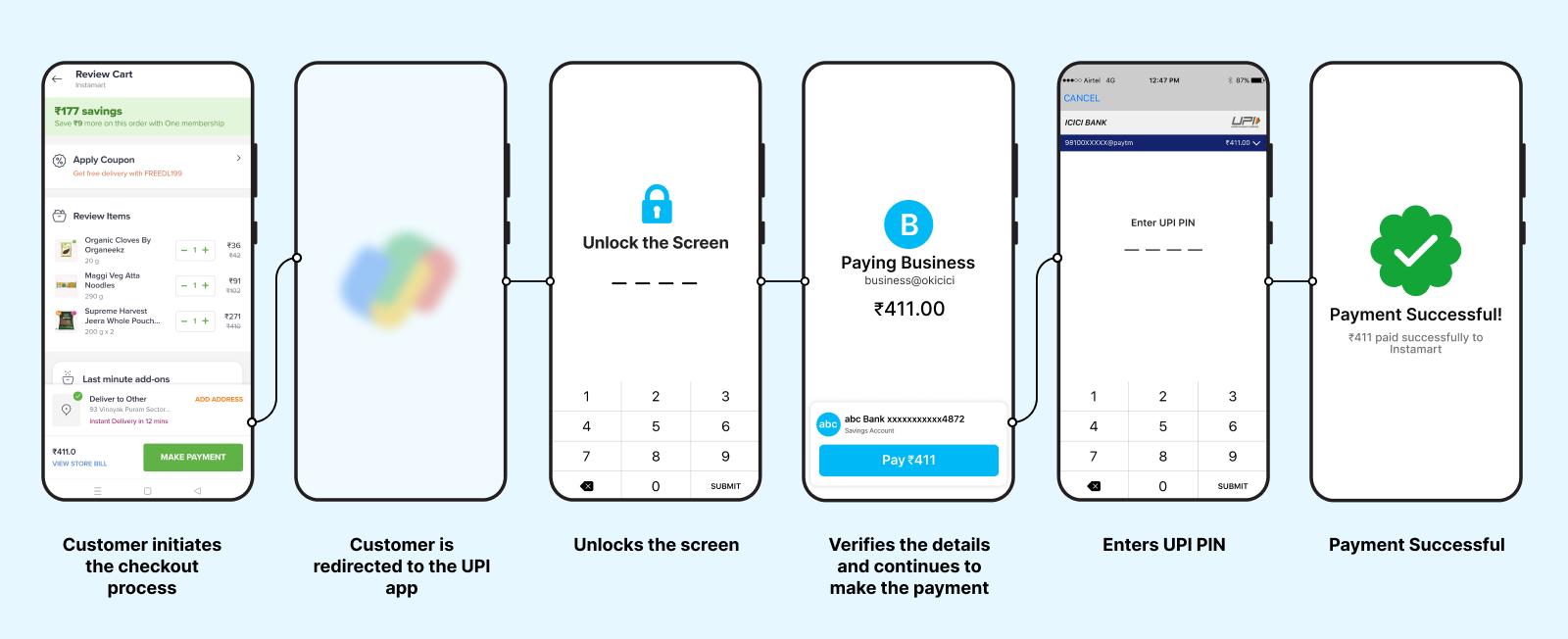
Without automation, a business may need to manually check whether a payment has actually been received.
With an automated system, payment information can be connected with the website or application so that the payment status can be processed more efficiently.
For example, a customer purchases a product for ₹999 from your website. They choose UPI, complete the payment using their preferred UPI app, and the system can process the payment status and update the order accordingly.
The exact workflow depends on the technology and merchant setup being used.
Why Do Online Businesses Need UPI Payment Automation?
Imagine receiving hundreds of UPI payments every day.
Checking every transaction manually can quickly become difficult.
Some common problems businesses face include:
- Manual payment verification
- Delayed order confirmation
- Difficulty tracking transactions
- Payment-related customer support queries
- Managing multiple merchant accounts
- Matching payments with orders
- Updating payment status manually
UPI payment automation helps reduce this manual workload.
Instead of making your team check every payment individually, you can connect your payment workflow with your website or mobile application.
How Does UPI Payment Automation Work?
The basic process can be divided into several steps.
Step 1: Customer Places an Order
The customer visits your website or mobile application and selects a product or service.
For example:
Product Price: ₹2,499
The customer proceeds to checkout.
Step 2: Customer Selects UPI
The customer chooses UPI as the preferred payment method.
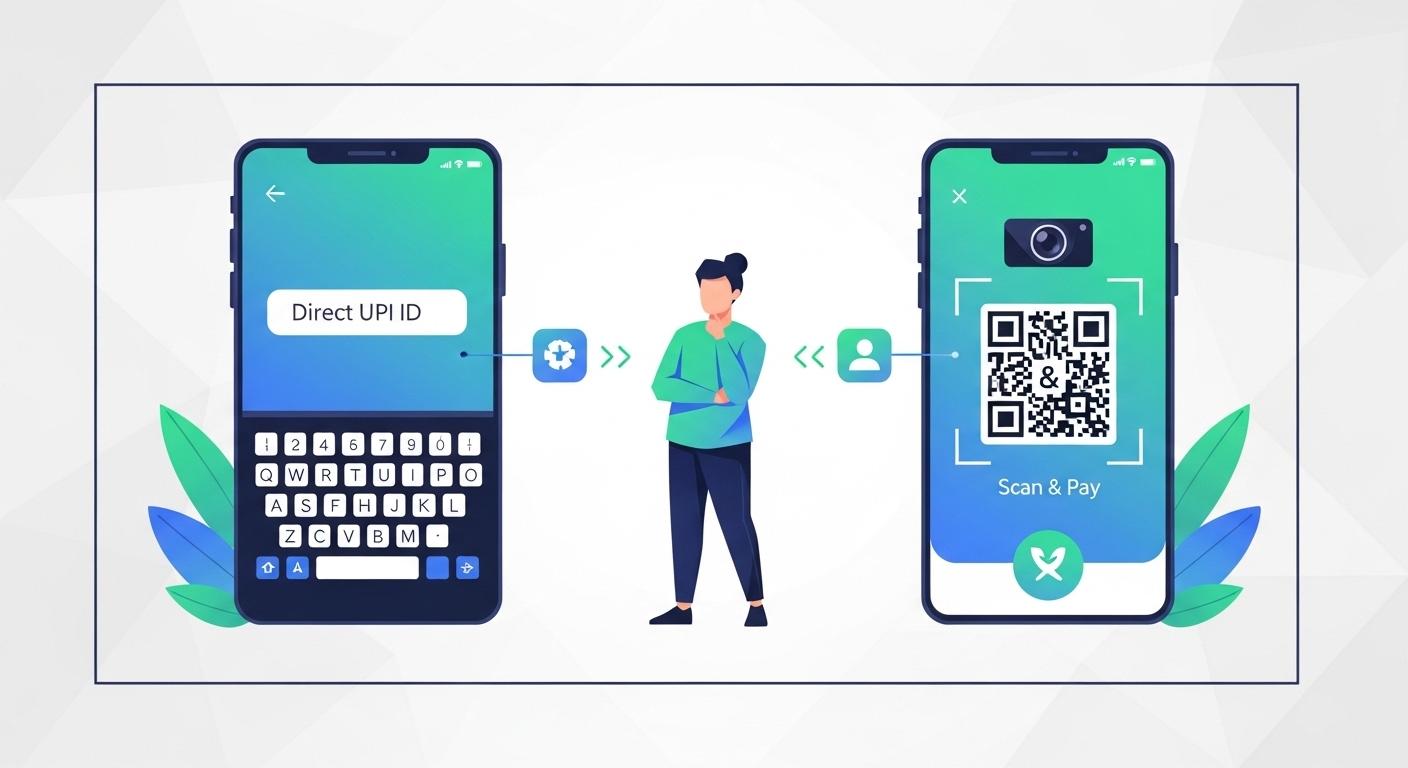
Depending on your setup, they may be able to pay through:
- UPI apps
- UPI Intent
- QR Code
- Merchant UPI ID
- Payment Link
Step 3: Payment Is Made
The customer completes the payment using their preferred UPI application.
The payment goes through the merchant's configured UPI setup.
Step 4: Payment Status Is Processed
The payment automation technology processes the available payment information and helps determine the payment status.
Step 5: Website or App Gets Updated
Once the payment status is successfully processed, your website or application can update the corresponding order or transaction.
For example:
Payment Received → Order Confirmed
This creates a much smoother experience for both the customer and the business.
How to Connect Your Merchant UPI ID With Your Website
One of the biggest advantages of a smart merchant infrastructure is that businesses can work with their existing Merchant UPI ID or QR Code rather than completely changing their existing payment setup.
The general process can look like this:
1. Create Your Merchant Setup
First, the business needs its own merchant UPI setup.
This could include an eligible Merchant UPI ID or QR Code.
2. Configure the Payment System
The merchant details are configured within the payment automation platform.
3. Connect Your Website or App
The required integration is then connected with your website or mobile application.
Depending on the platform, this may involve an API or other integration method.
4. Configure Payment Notifications
Payment-related events can be connected with your application's backend.
This helps your system process payment status and order updates.
5. Test the Integration
Before going live, the complete payment journey should be tested.
Check:
- Successful payments
- Failed payments
- Pending payments
- Order status
- Payment notifications
- Transaction records
Once everything works correctly, the payment workflow can be made available to customers.
UPI Payment Integration for Mobile Apps
UPI automation isn't limited to websites.
It can also be integrated into mobile applications.
For example, imagine you have a food delivery application.
A customer places an order for ₹650.
At checkout, they select UPI and complete their payment.
Your application can then process the payment status and update the order.
The customer sees:
Payment Successful → Order Confirmed
This eliminates unnecessary waiting and can create a better overall checkout experience.
UPI Intent vs UPI QR Code
There are different ways businesses can provide a UPI payment experience.
UPI Intent
UPI Intent can allow customers on supported devices to proceed directly to a compatible UPI application.
This can reduce the number of manual steps during checkout.
UPI QR Code
A QR Code can be displayed on the website, application, or checkout screen.
The customer scans the QR Code using their UPI app and completes the payment.
Both approaches can be useful depending on the business model and customer journey.
What Is a Smart Merchant Infrastructure?
A Smart Merchant Infrastructure is technology designed to help online businesses manage and automate their merchant payment workflow.
Instead of presenting it as a traditional payment gateway, the focus is on connecting the business's existing merchant payment setup with technology.
For example, the infrastructure can help businesses:
- Connect Merchant UPI ID
- Use Merchant QR Code
- Automate payment workflows
- Process payment status
- Reduce manual verification
- Connect payments with websites
- Connect payments with mobile apps
- Manage payment-related information
The goal is simple:
Make online payment management easier and more automated for businesses.
Benefits of UPI Payment Automation
1. Reduce Manual Work
Your team doesn't need to manually check every payment whenever possible.
Automation can reduce repetitive payment-related tasks.
2. Faster Order Processing
When payment status is processed efficiently, businesses can move customers to the next step faster.
3. Better Customer Experience
Customers don't want to wait after completing a payment.
A smoother payment confirmation process creates more confidence.
4. Easier Payment Tracking
Businesses can manage transaction-related information through their technology setup.
5. Website & App Integration
UPI payment workflows can be connected with different types of online platforms.
6. Scalable Payment Operations
As your business grows, manual payment management becomes harder.
Automation provides a more scalable approach.
Who Can Use UPI Payment Automation?
UPI payment automation can be useful for many types of online businesses.
E-commerce Businesses
Online stores can connect payment workflows with their checkout and order management systems.
SaaS Businesses
Software companies can use automated payment workflows for subscriptions or service payments.
Service Businesses
Agencies, consultants, and service providers can simplify payment collection.
Mobile Applications
Apps that require digital payments can integrate UPI into their customer journey.
Online Platforms
Digital platforms can connect payment workflows with their existing systems.
Small Businesses
Even smaller businesses can benefit when manual payment verification starts consuming too much time.
Features to Look for in a UPI Payment Automation Solution
Before choosing a solution, businesses should carefully evaluate its features.
Merchant UPI Support
The platform should work with the merchant payment setup you actually use.
QR Code Support
A customizable or dynamic QR workflow can be useful for different payment scenarios.
UPI Intent
UPI Intent can make mobile checkout faster for supported customers.
Payment Status
The system should provide a clear way to process payment status.
API Integration
API support is important when connecting payment workflows to custom websites or applications.
Webhooks
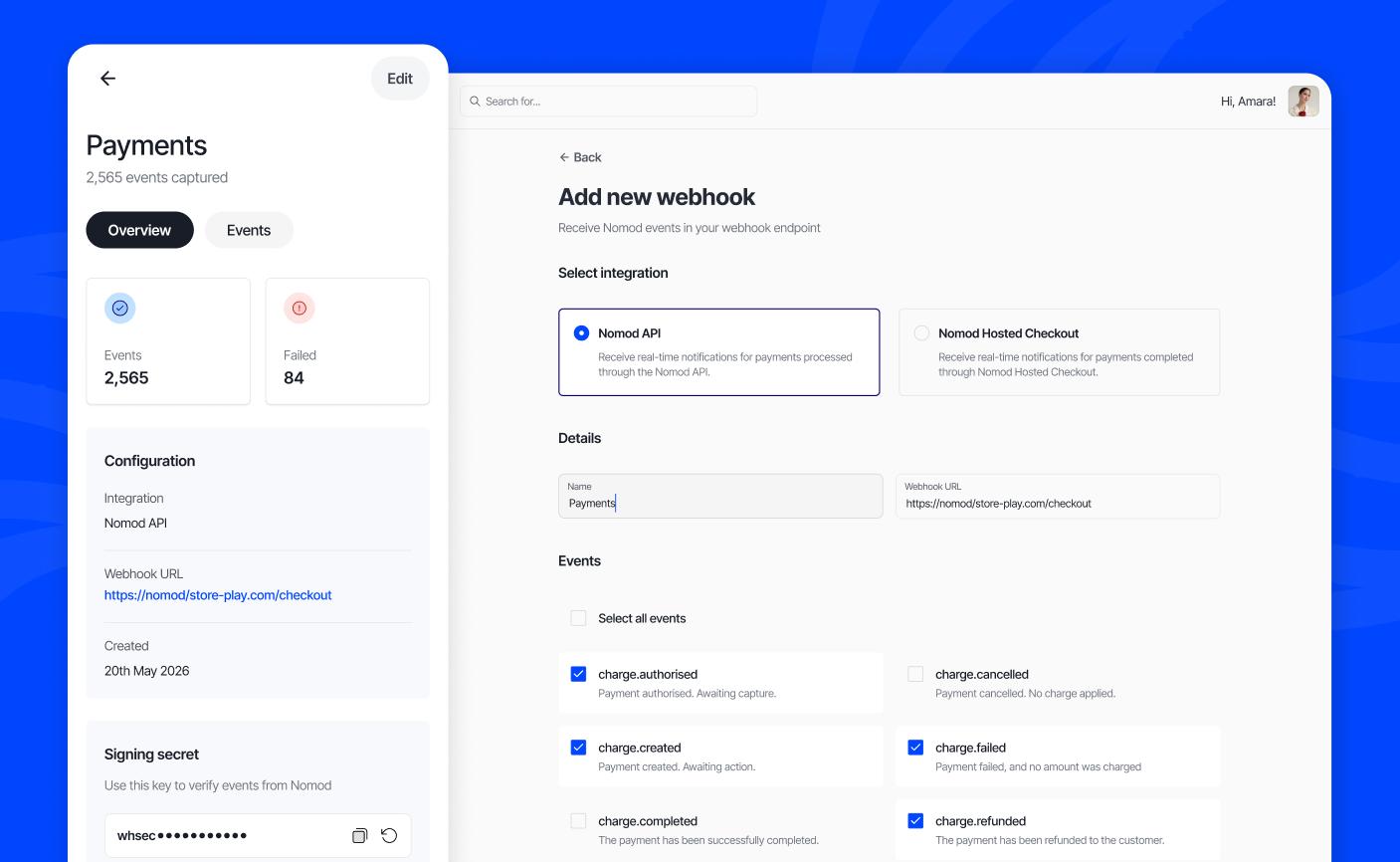
Webhooks can help your application receive relevant payment events automatically, depending on the integration.
Dashboard
A centralized dashboard can make transaction and merchant management easier.
Security
Payment-related systems should be designed with appropriate security practices and access controls.
How Businesses Can Automate Payment Verification
Payment verification is one of the biggest reasons businesses look toward automation.
Suppose you run an online store and receive 200 orders in one day.
Manually checking every payment can be time-consuming.
With an integrated workflow:
Customer Payment → Payment Event → Verification Process → Website/App Update
The system can process the available payment information and help update the corresponding transaction.
This can significantly reduce repetitive work.
However, businesses should always design their payment workflow around reliable transaction confirmation rather than customer-submitted screenshots alone.
UPI Payment Automation vs Manual Payment Verification
| Feature | Manual Process | Automated Process |
|---|---|---|
| Payment Checking | Manual | Technology-assisted |
| Order Confirmation | Can be delayed | Faster workflow |
| Transaction Tracking | Manual effort | Centralized |
| Customer Experience | More waiting | Smoother |
| Scalability | Difficult at high volume | Easier to scale |
| Repetitive Work | High | Reduced |
The exact capabilities depend on the implementation and merchant configuration.
How Much Does UPI Integration Cost?
The cost of UPI integration depends on several factors.
These can include:
- Website or app technology
- API requirements
- Number of merchants
- Transaction volume
- Custom dashboard requirements
- Webhook requirements
- Custom payment workflow
- Branding requirements
- Development requirements
A simple integration can be relatively straightforward, while a highly customized payment infrastructure can require significantly more development.
Therefore, businesses should first define their requirements before choosing a solution.
How JaduPe Helps Online Businesses
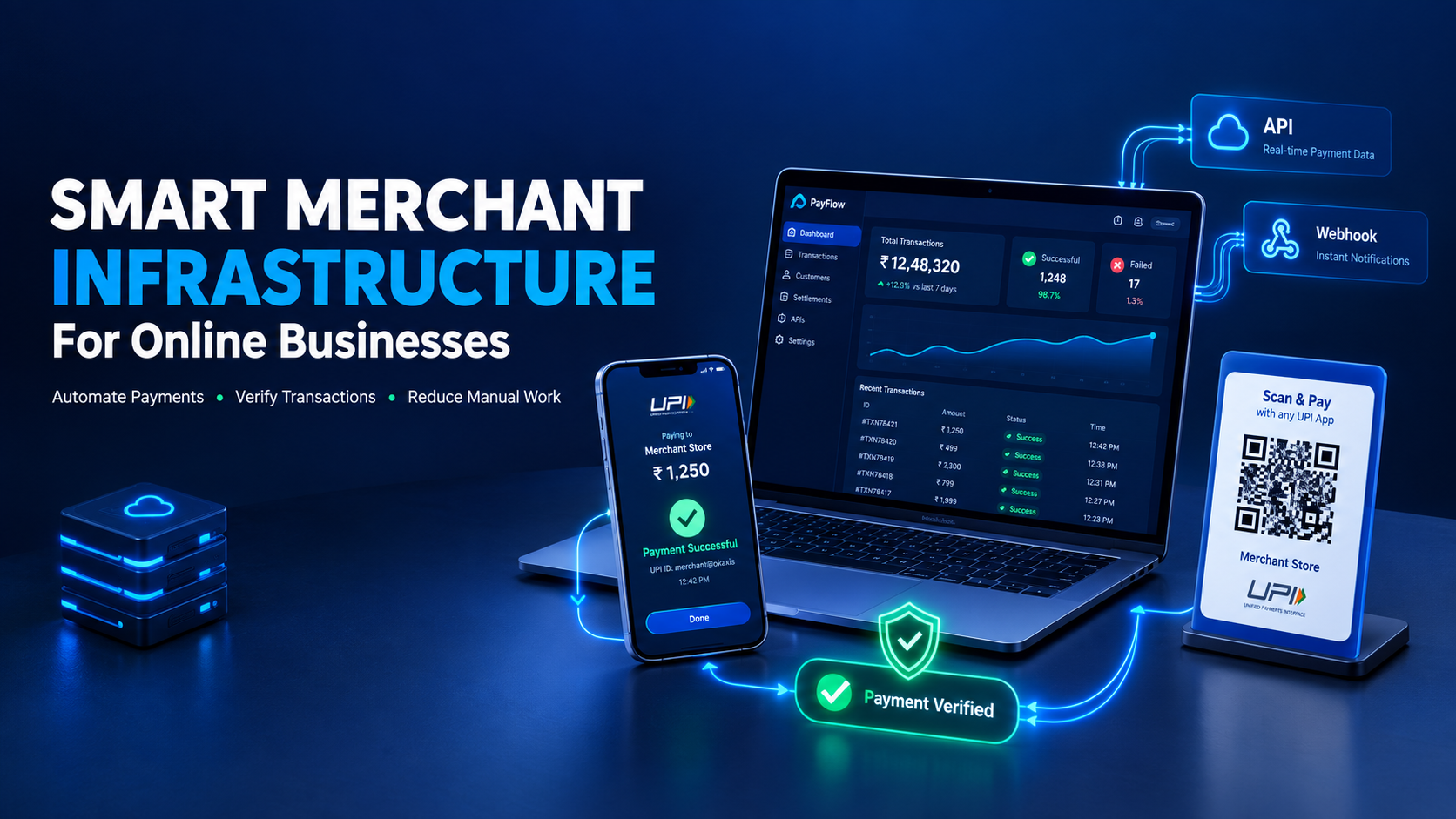
JaduPe is a Smart Merchant Infrastructure for Online Businesses.
It helps businesses connect their existing Merchant UPI ID or QR Code with payment automation technology.
The objective is to simplify the payment workflow without making the business dependent on a completely different merchant setup.
With the right configuration, businesses can work toward:
- UPI Intent
- Custom QR
- Payment Links
- Merchant routing
- Payment automation
- Webhook-based workflows
- Website integration
- Mobile app integration
- Payment status processing
This makes JaduPe suitable for businesses that want to create a more automated payment experience around their existing merchant infrastructure.
Why Payment Automation Matters for Growing Businesses
When your business has only a few transactions every day, manual verification might not feel like a problem.
But imagine handling:
10 payments → 100 payments → 1,000+ payments
The amount of repetitive work can grow quickly.
This is why businesses should think about automation early.
A good payment infrastructure isn't only about accepting money. It's also about creating a workflow where:
Payment → Verification → Order Update → Customer Notification
can happen efficiently.
Best Practices for UPI Payment Integration
Before launching your integration, keep these points in mind.
Always Test the Complete Payment Flow
Don't test only successful transactions.
Test different payment states and edge cases.
Keep Payment Records
Maintain appropriate transaction records for reconciliation and customer support.
Secure Your API
Never expose sensitive API credentials in frontend code.
Use HTTPS
Your website should use HTTPS, especially for payment-related pages.
Handle Failed Payments
Customers may close the payment app, cancel a transaction, or experience a failed payment.
Your system should handle these situations properly.
Don't Rely Only on Screenshots
Payment screenshots can be edited or manipulated. Use reliable transaction confirmation mechanisms wherever available.
Final Thoughts
UPI payment automation can help online businesses reduce repetitive manual work and create a smoother payment experience for customers.
Whether you operate an e-commerce store, SaaS platform, service business, website, or mobile application, connecting your existing Merchant UPI ID or QR Code with smart payment automation technology can make payment management more efficient.
The important thing is to choose an approach that fits your business requirements, technology stack, transaction volume, and merchant setup.
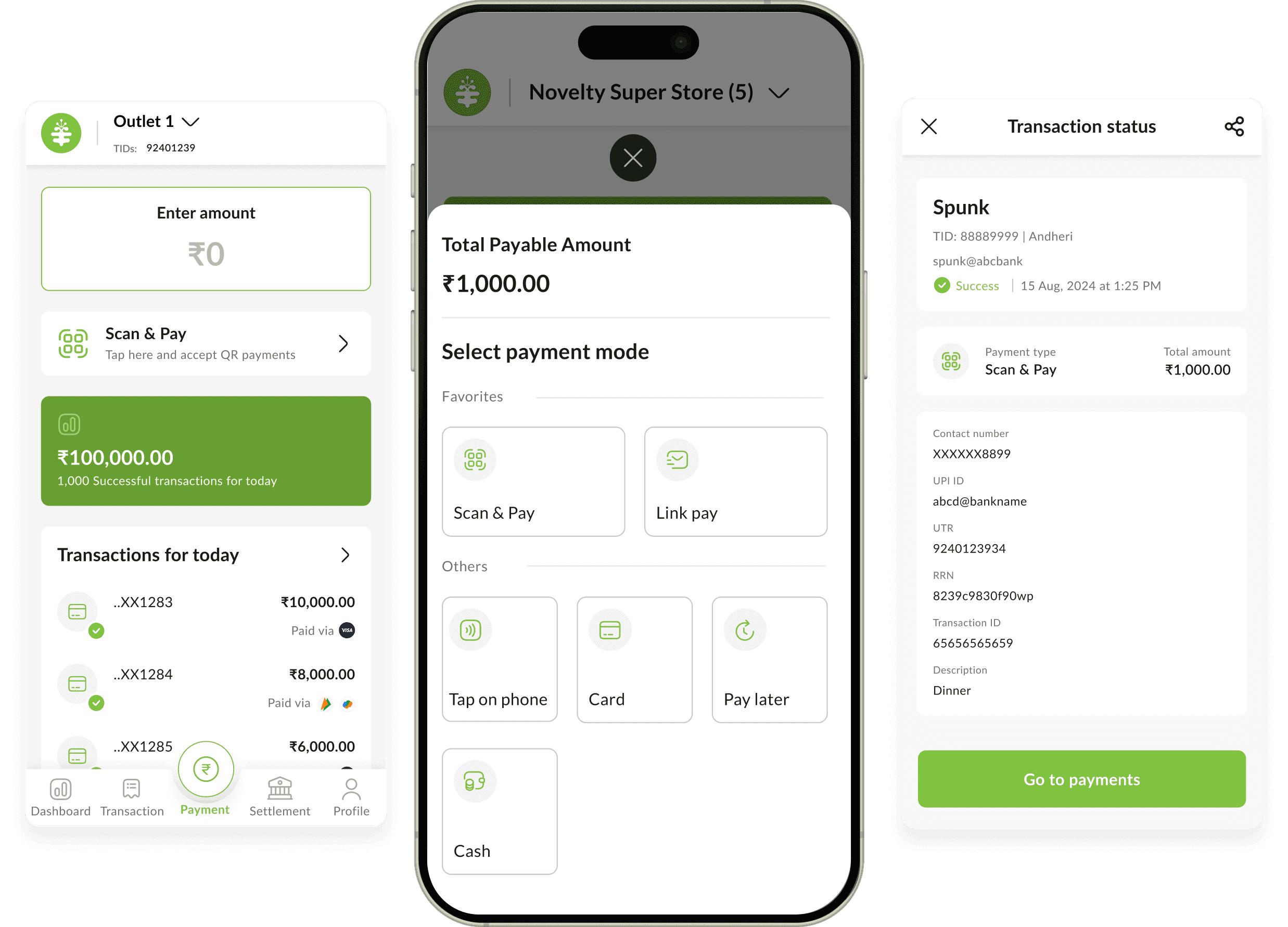
JaduPe helps businesses connect their existing merchant UPI infrastructure with smart payment automation technology, making it easier to build a streamlined payment workflow for websites and mobile applications.
JaduPe is a Smart Merchant Infrastructure for Online Businesses. It does not hold customer funds or provide banking services or operate as a traditional payment gateway. It helps businesses automate payment workflows using their own merchant payment setup.
Frequently Asked Questions
1. What is UPI payment automation?
UPI payment automation uses technology to simplify UPI payment collection, payment status processing, transaction tracking, and related business workflows.
2. Can I integrate UPI payments into my website?
Yes. UPI payment workflows can be integrated into websites using suitable merchant configurations and technical integration methods such as APIs or other supported integration options.
3. Can UPI be integrated into a mobile app?
Yes. UPI payment options can be incorporated into mobile applications to provide customers with a convenient digital payment experience.
4. Can I use my existing Merchant UPI ID?
Depending on the merchant setup and integration, businesses can connect their existing Merchant UPI ID or QR Code with suitable payment automation technology.
5. What is UPI Intent?
UPI Intent is a payment flow that can allow customers on supported devices to proceed to a compatible UPI application for completing a payment.
6. What is UPI QR Code payment?
A UPI QR Code allows a customer to scan a merchant's QR Code using a supported UPI application and complete the payment.
7. How does payment automation reduce manual work?
Instead of manually checking every transaction and updating orders, an integrated system can process available payment events and help automate relevant payment and order workflows.
8. Is JaduPe a traditional payment gateway?
No. JaduPe is positioned as Smart Merchant Infrastructure for Online Businesses, helping businesses automate payment workflows using their existing merchant payment setup. It does not hold customer funds or provide banking services.
9. Can JaduPe be integrated with a website?
JaduPe is designed to help businesses connect their merchant UPI setup with online business platforms, including websites, depending on the required integration.
10. Can JaduPe work with mobile applications?
Yes, businesses can use suitable integration methods to connect payment workflows with mobile applications, depending on their technical requirements.
11. Why is automated payment verification useful?
It can reduce repetitive manual checking, improve payment workflow efficiency, and help businesses process customer orders more smoothly.
12. Is UPI payment automation suitable for small businesses?
Yes. Small businesses can also benefit from automation, particularly when manually checking and reconciling payments starts taking significant time.